Quickstart
What you’ll do
Section titled “What you’ll do”- Make one authenticated request
- Download a Parquet dataset
- (Optional) use MCP tools for validation + reproducibility
Prerequisites
Section titled “Prerequisites”- An API key
curlinstalled
Fastest path: generate a dataset (Parquet)
Section titled “Fastest path: generate a dataset (Parquet)”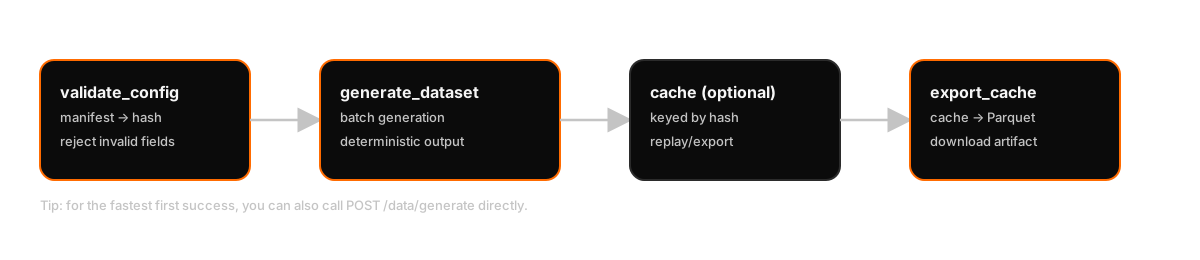
export ALEATORIC_API_KEY="your-api-key"
curl -sS -X POST "https://mcp.aleatoric.systems/data/generate" \  -H "X-API-Key: $ALEATORIC_API_KEY" \  -H "Content-Type: application/json" \  -d '{    "config": { "symbol": "BTC", "seed": 42 },    "duration_seconds": 60  }' \  -o response.json
python3 -c 'import json; print(json.load(open("response.json"))["download_url"])' > download_url.txtcurl -L "$(cat download_url.txt)" -o aleatoric.parquetExpected output
Section titled “Expected output”- A file named
aleatoric.parquetin your current directory. - A
response.jsonfile containing metadata (includingdownload_urlandmanifest_hash).
Optional: MCP tool workflow (validation + cache export)
Section titled “Optional: MCP tool workflow (validation + cache export)”If you’re integrating with an MCP client, the typical flow is:
validate_config→ validate aSimulationManifestand record the deterministic hash.generate_dataset→ generate a batch dataset (and optionally populate cache entries).export_cache→ export a cached artifact as Parquet.
For request/response shapes, see the API index and API reference.
What’s next
Section titled “What’s next”- If you want “which endpoint/tool do I call?”: API
- If you want reproducibility guarantees: Determinism